How to use USBC to upgrade the firmware on your Half Decent Scale
Looking for v3.0.0 upgrade instructions?
While we recommend that you use wifi to update your scale's firmware, there are times when using USBC is more convenient or necessary.
For example, if you upgraded to beta firmware that had a big bug in it, you might have "bricked" your scale and it is unable to even power up. USBC firmware updating will bring your scale back to life.
Here is a video showing the entire process:

Here are the steps:
1. Connect your scale via USBC to a computer
3. If you are running a firmware v2.7.6 or earlier:
1. Choose the "ino.bin" file you previously downloaded. 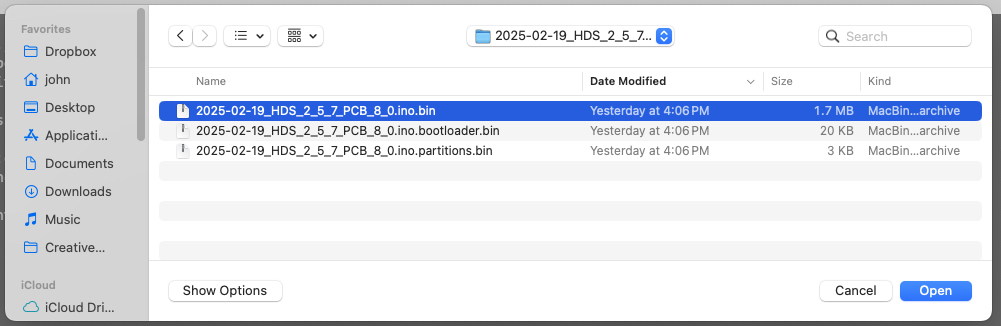
2. Type 10000 into the first Offset 
1. If your scale is really bricked (unable to power up) you can usually bring it back to life by first choosing to completely erase the scale via USBC, and the uploading all 3 firmware images.
2. If you want to also upload the bootloader and partitions, then choose those two files as well.
1. The Offset for the bootloader file is "0000"
2. The Offset for the partitions file is "8000"
3. You will need to weight calibrate your scale if you erase or upload 3 files.
4. Tap the PROGRAM button 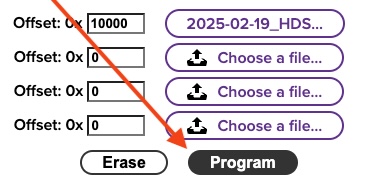
5. You should see a progress bar 
6. Wait 2 minutes until you see the message "To run the new firmware, please reset your device"
7. Unplug your scale from USB, turn it over, and push the reset button with a small screwdriver. 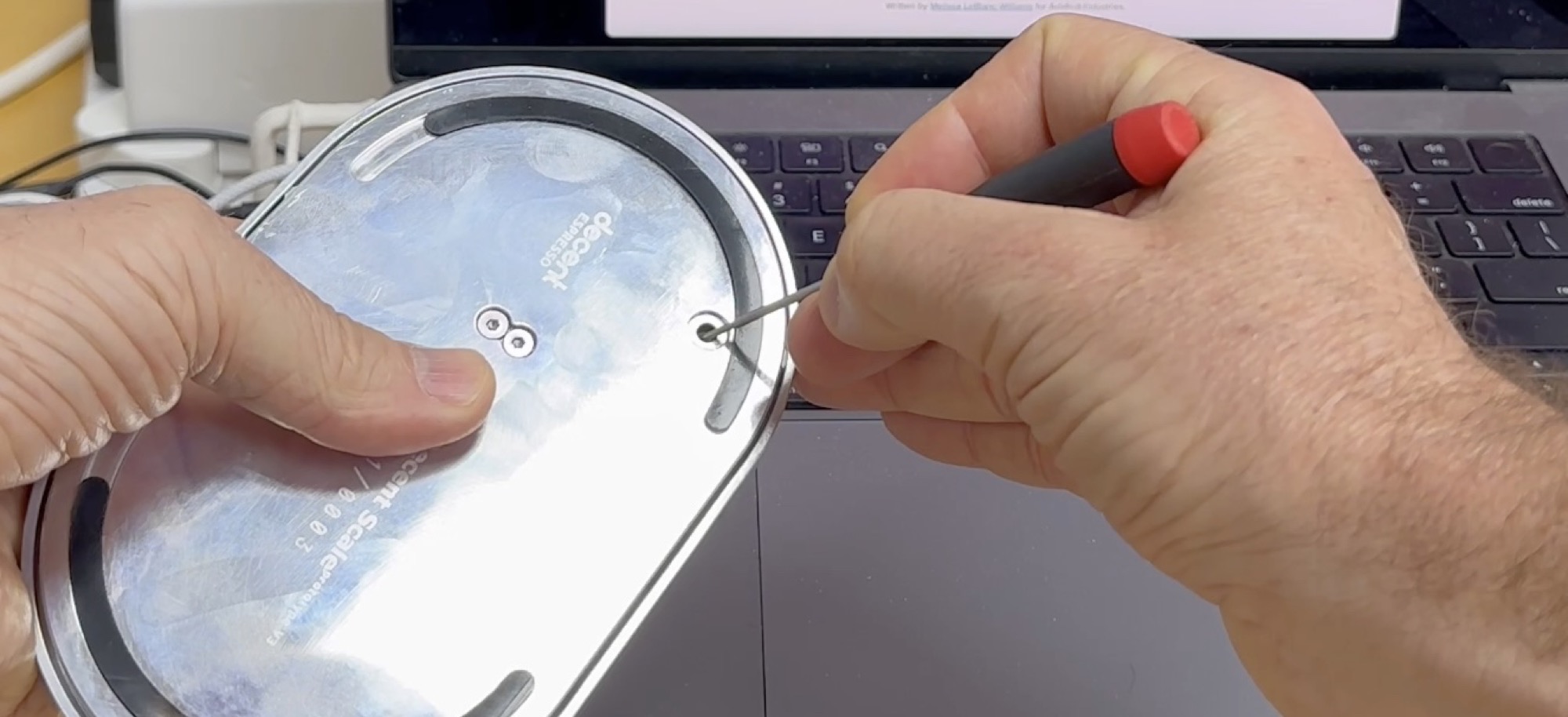
1. You can also cause a scale reset with the command line "esptool.py chip_id" if you have installed esptool.
8. Your scale should now work
Half Decent Scale Manual: table of contents
#decentscale #firmware #update #ota
john created 2025/02/19, mirjam updated 2026/06/02